
Migration to Walmart Marketplace OAuth 2.0 Authentication
Walmart Marketplace is moving to OAuth 2.0 based Authentication from it's current authentication method. This will be the new required method of connecting your Walmart store to OrderCup going forward. This is a required change that will improve security, reliability, and performance when accessing seller data.
Note: This currently only applies only to U.S. Walmart stores.
Action Required
To continue shipping your Walmart orders in OrderCup, you must authorize OrderCup to access your Walmart seller account using OAuth 2.0.
Important:
If you do not complete this authorization, OrderCup may lose access to your Walmart account, and your order syncing and shipping functionality may be affected.
While Walmart has not announced a specific shutdown date for legacy authentication, OAuth 2.0 is already required for new Marketplace integrations, and we strongly recommend completing the migration as soon as possible to avoid any disruption in service.
How to Authorize OrderCup for Walmart OAuth 2.0
Login to OrderCup
Make sure you have selected your Walmart store
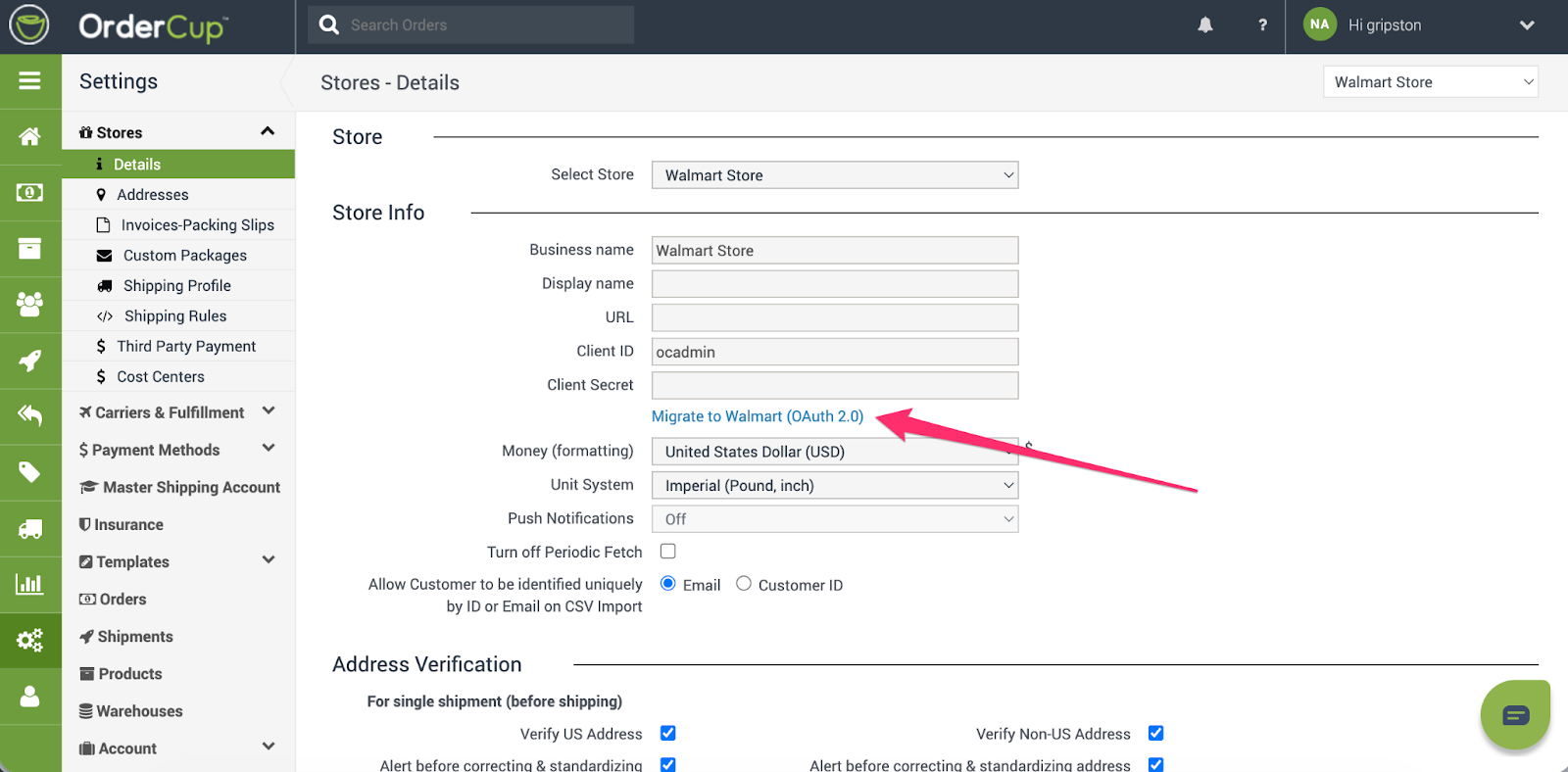
Navigate to Settings → Stores → Details
Click the “Migrate to Walmart (OAuth 2.0)” link
Walmart Authorization Flow
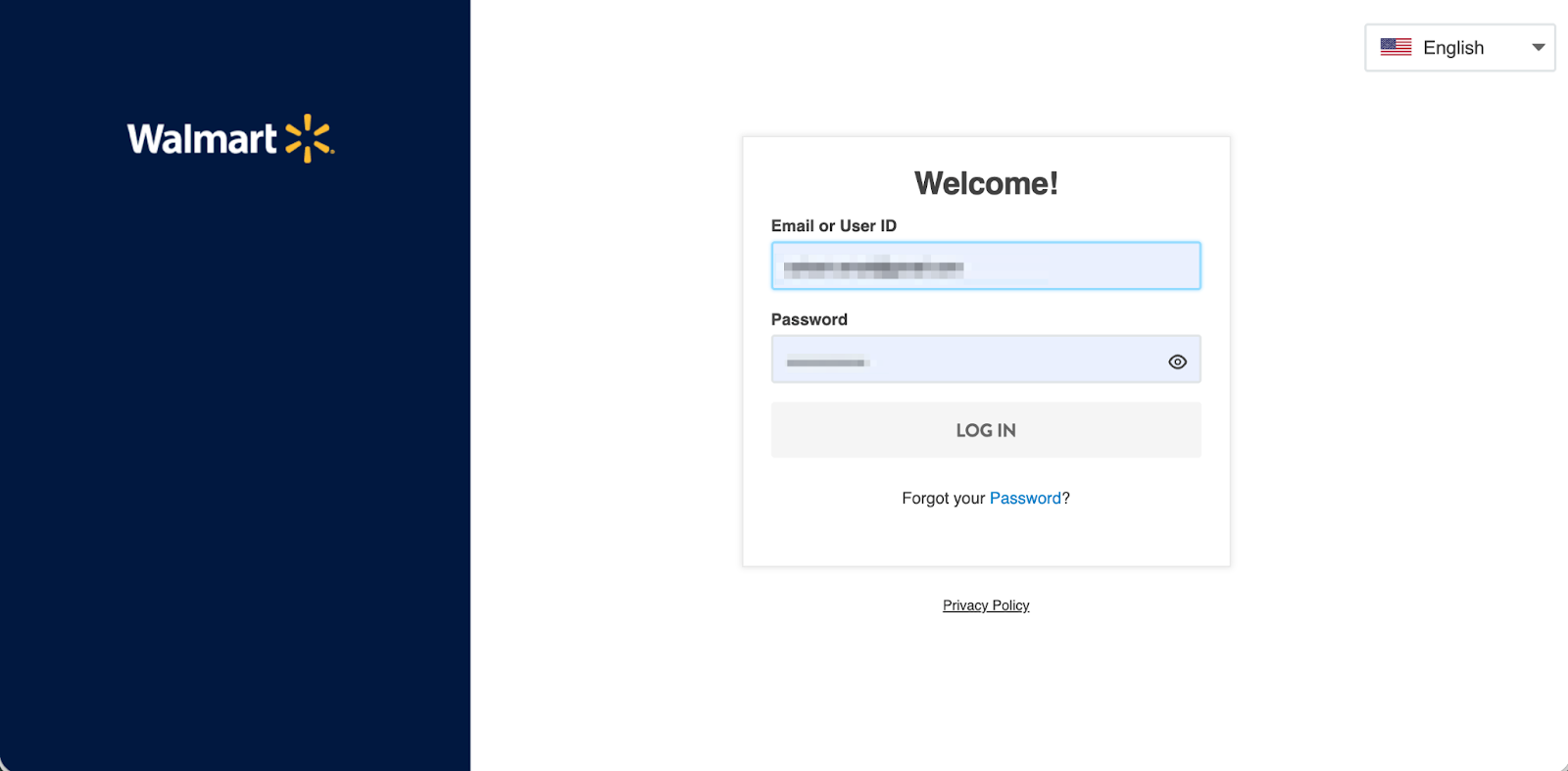
You will be redirected to the Walmart Seller Center login page
Login using your Walmart Seller Center credentials
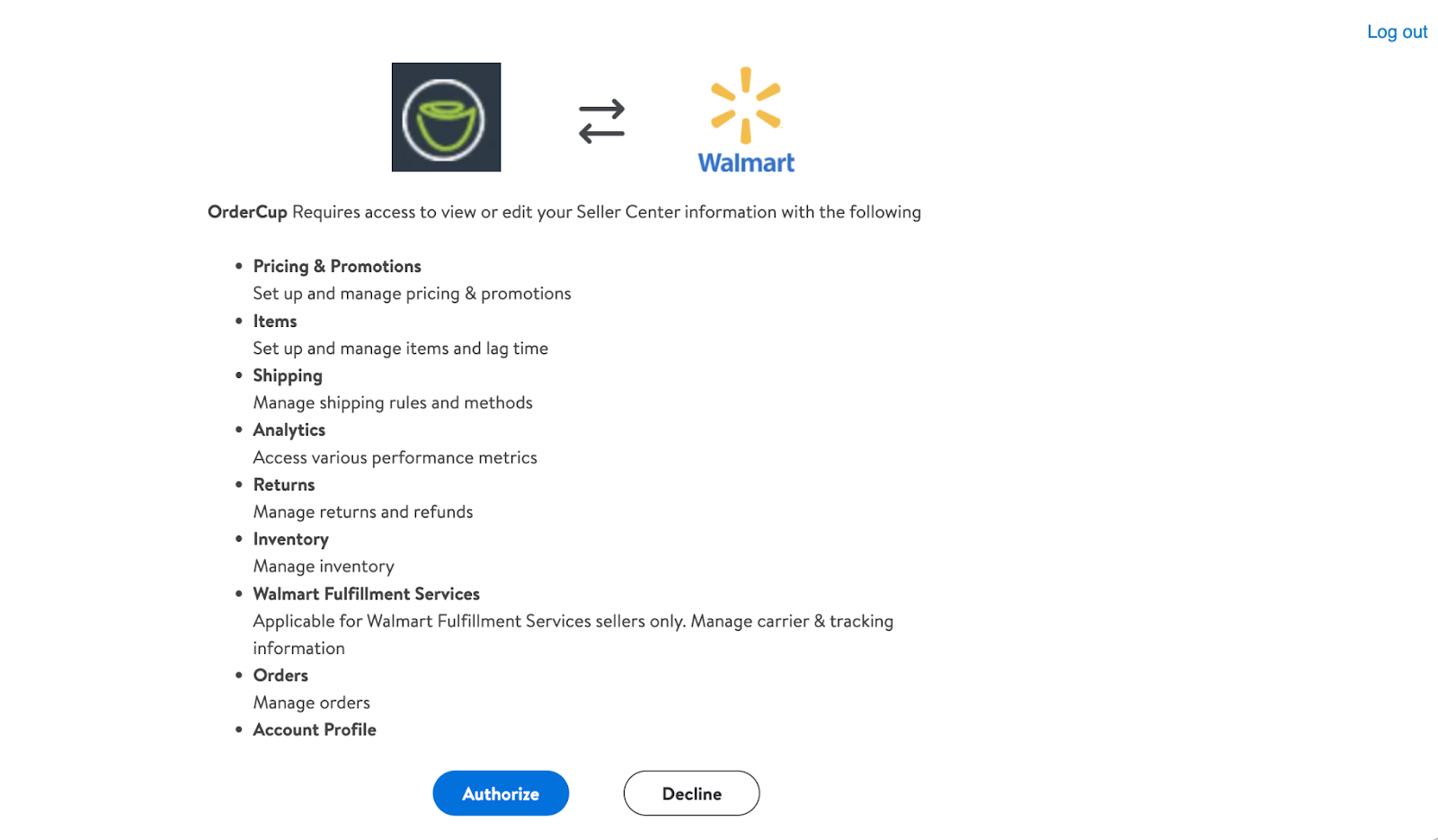
You will be taken to a page to authorize OrderCup
Review the permissions and click Allow / Authorize
You will then be redirected back to OrderCup
Once authorization is complete, OrderCup will securely access your Walmart store using OAuth 2.0
Re-Authorization (Existing Stores)
If OAuth access was previously configured, the link will display as “Re-Authorize OrderCup”.
Go to Settings → Stores → Details
Select your Walmart store
Click Re-Authorize OrderCup
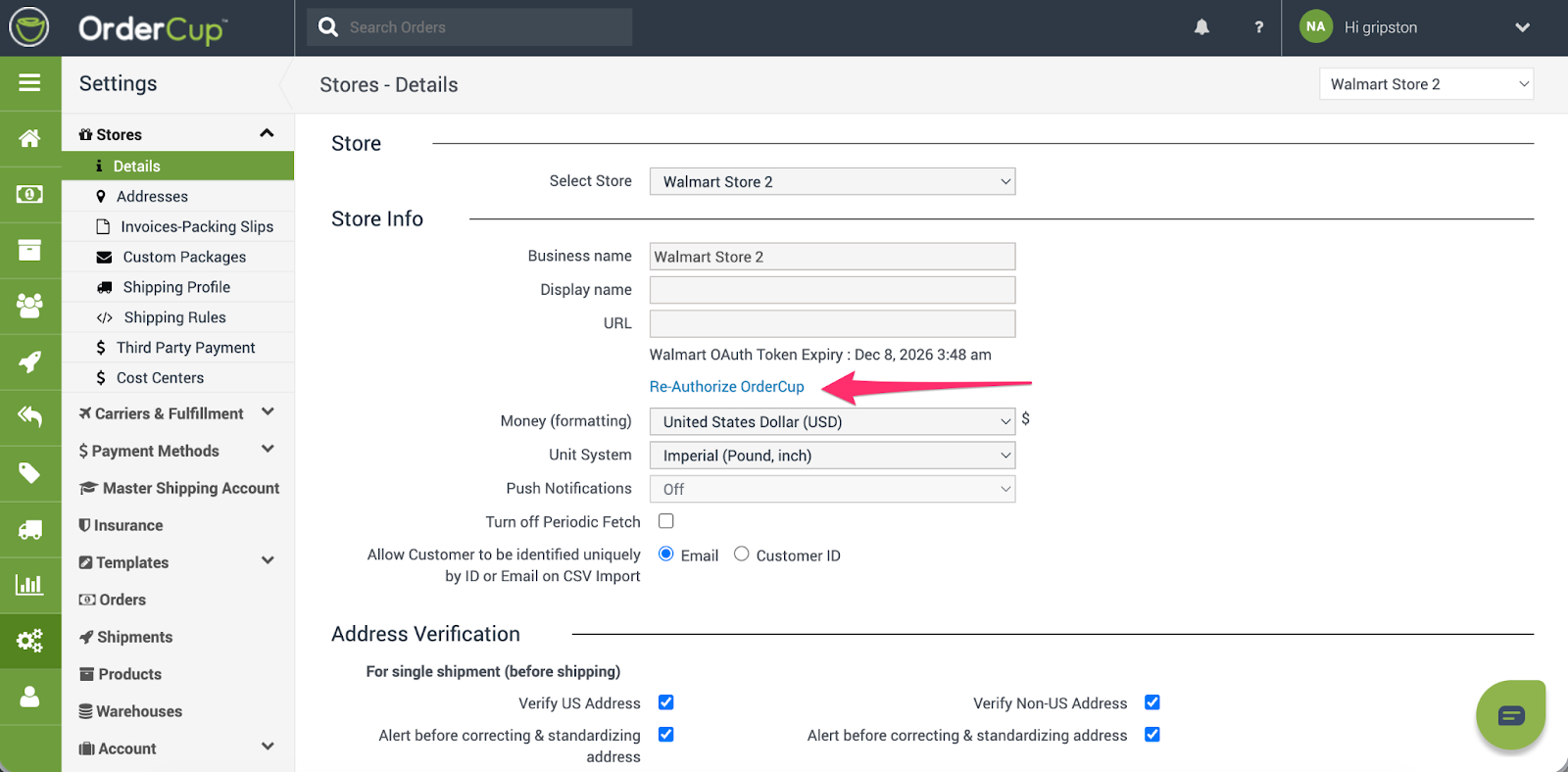
4. Complete the OAuth 2.0 authorization flow
Re-authorization may be required if access was revoked, permissions changed, or Walmart requires refreshed credentials.
Additional Help
As always, If you have any questions or encounter issues during authorization, please contact OrderCup Support at: support@ordercup.com