
Please Note: If you are using the OrderCup Fedex account there is not action required on your part.
How to Migrate Your FedEx Account to REST
Log in to OrderCup.
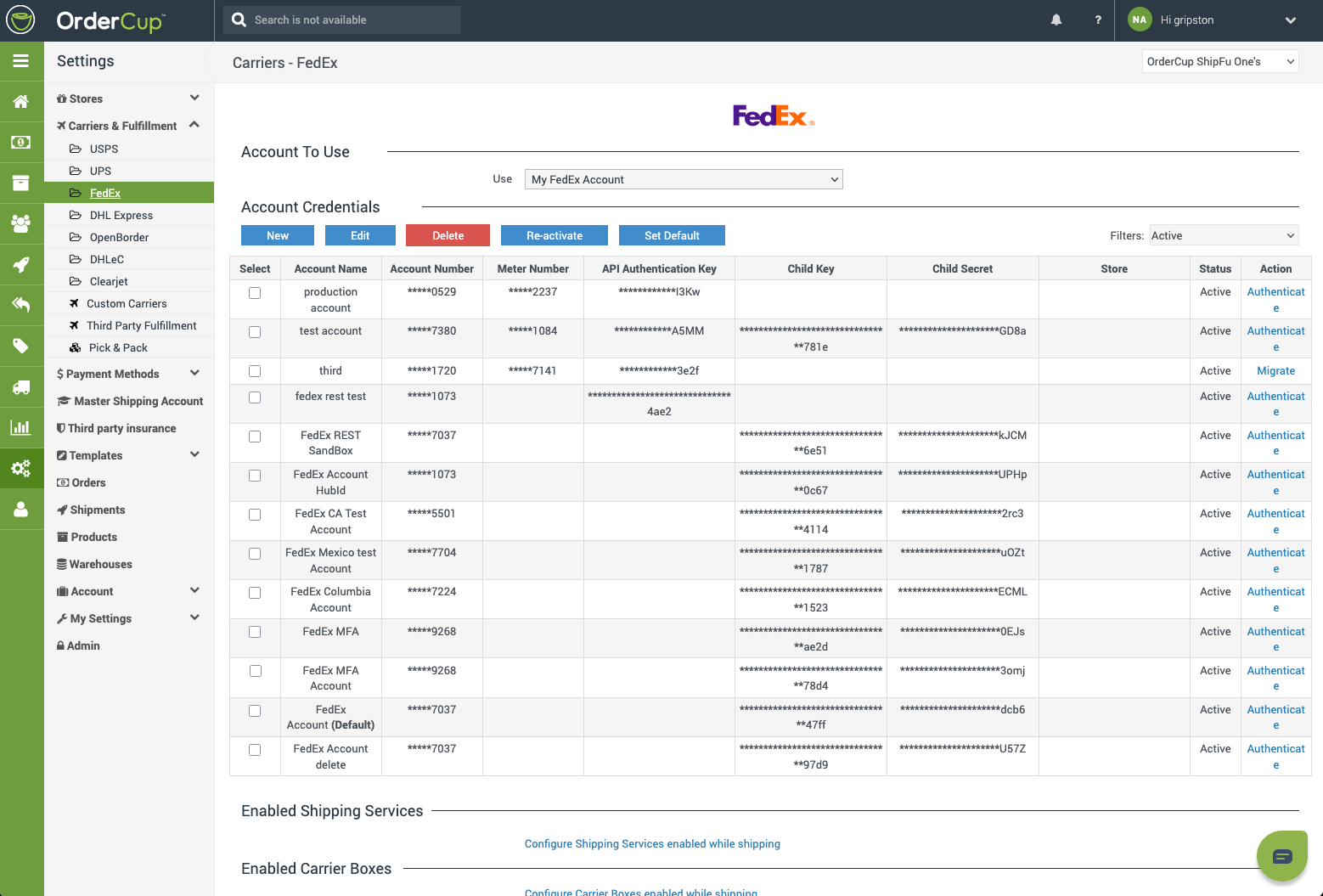
Open Settings → Carriers & Fulfillment → FedEx.
Under Account To Use, select My FedEx Account.
In the Account Credentials table, find your FedEx account.
In the Action column, click Migrate.
For a new FedEx account, click New instead. OrderCup will start the REST registration flow automatically.
Repeat Steps 4 and 5 for for each of your My FedEx Accounts.
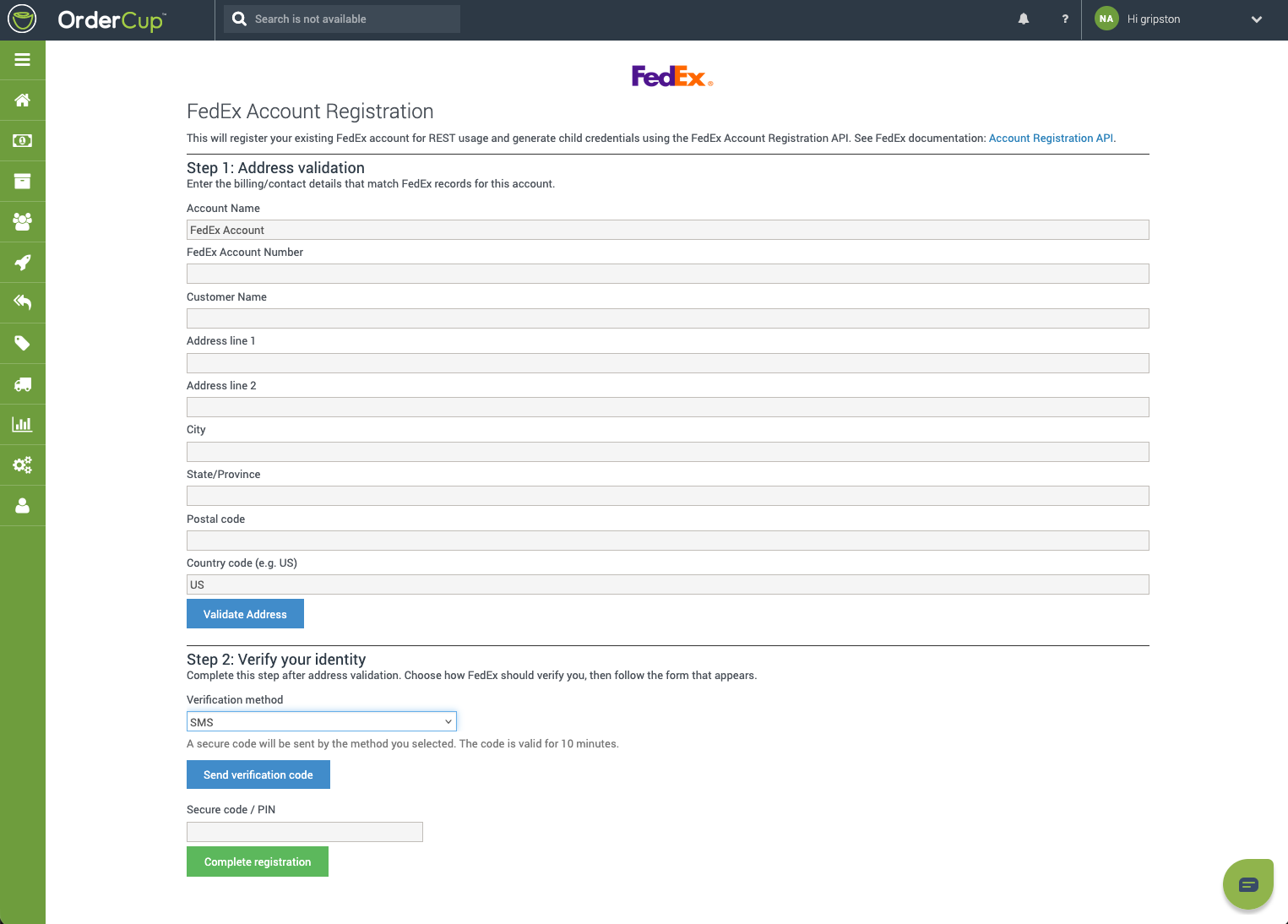
FedEx REST Registration Flow
You will complete registration inside OrderCup (you are not redirected to a separate FedEx login page).
Step 0: Accept the FedEx End User License Agreement (EULA)
Review the FedEx EULA displayed on screen (scroll to the bottom to enable acceptance).
Check I acknowledge that I have read the FedEx End User License Agreement in full.
Click I accept the terms of FedEx EULA to start shipping.
Step 1: Address validation
Enter billing/contact details that match FedEx records for this account:
Account Name
FedEx Account Number
Customer Name
Address (lines 1–2), City, State/Province, Postal code, Country code
Click Validate Address.
Step 2: Verify your identity
Choose one verification method:
Completion
When registration succeeds, you are returned to Settings → Carriers & Fulfillment → FedEx with a confirmation that FedEx REST registration completed.
Your account row should show populated Child Key and Child Secret values. OrderCup will use the FedEx REST API for shipping going forward.
After migration, you no longer need a FedEx Meter Number or legacy API Authentication Key/Password for REST shipping. Your FedEx Account Number is still used for billing.
Re-Registration (Existing Migrated Accounts)
If REST registration was previously completed, the Action link displays as Authenticate instead of Migrate.
Go to Settings → Carriers & Fulfillment → FedEx.
Select your FedEx account in the credentials table.
Click Authenticate.
Complete the EULA and registration steps again.
Re-registration may be required if credentials expired, access was revoked, or FedEx requires refreshed child credentials.
Troubleshooting
Additional Help
If you have questions or run into issues during migration, contact OrderCup Support at support@ordercup.com.