
FedEx is moving from its legacy Web Services API to its newer REST API, and requiring the all users move to their new REST API integration. OrderCup has completed this migration and has been approved as a FedEx Integrator platform in North America. If you ship with FedEx in OrderCup, the action you need to take depends on what type of FedEx account you use.
Why this migration is important
FedEx is transitioning its legacy Web Services API to a legacy maintenance-only support model starting July 1, 2026. The legacy FedEx Web Services API will continue working, but it will no longer receive new features or enhancements. and general Web Services troubleshooting and development support will also end.
Hence we are asking all users that use their own FedEx account to migrate to the FedEx REST API integration as soon as possible. The migration does not change your FedEx account number, your FedEx billing relationship, or your negotiated FedEx rates. It changes the technical connection OrderCup uses to communicate with FedEx. If you/ If you use the OrderCup FedEx account there is nothing for you do as these accounts will be automatically migrated to use the the FedEx REST API.
What do I need to do?
| FedEx account type in OrderCup | Action required? | What happens next |
|---|---|---|
| My FedEx Account - you use your own FedEx account number and negotiated FedEx rates | Yes | You must migrate your FedEx account in OrderCup to the new FedEx REST API. This will generate and connect the new REST credentials required for OrderCup to continue using your FedEx account through the new REST integration. |
| OrderCup FedEx Account — you use the FedEx account provided by OrderCup | No | No migration action is required. OrderCup will automatically migrate OrderCup FedEx Accounts to the FedEx REST API starting June 25, 2026. If you have a Pickup FedEx Account, you will have to migrate this yourself to REST credentials (see below). |
How to Migrate Your FedEx Account to REST
Here is are the steps to migrate each of your FedEx accounts:
Log in to OrderCup.
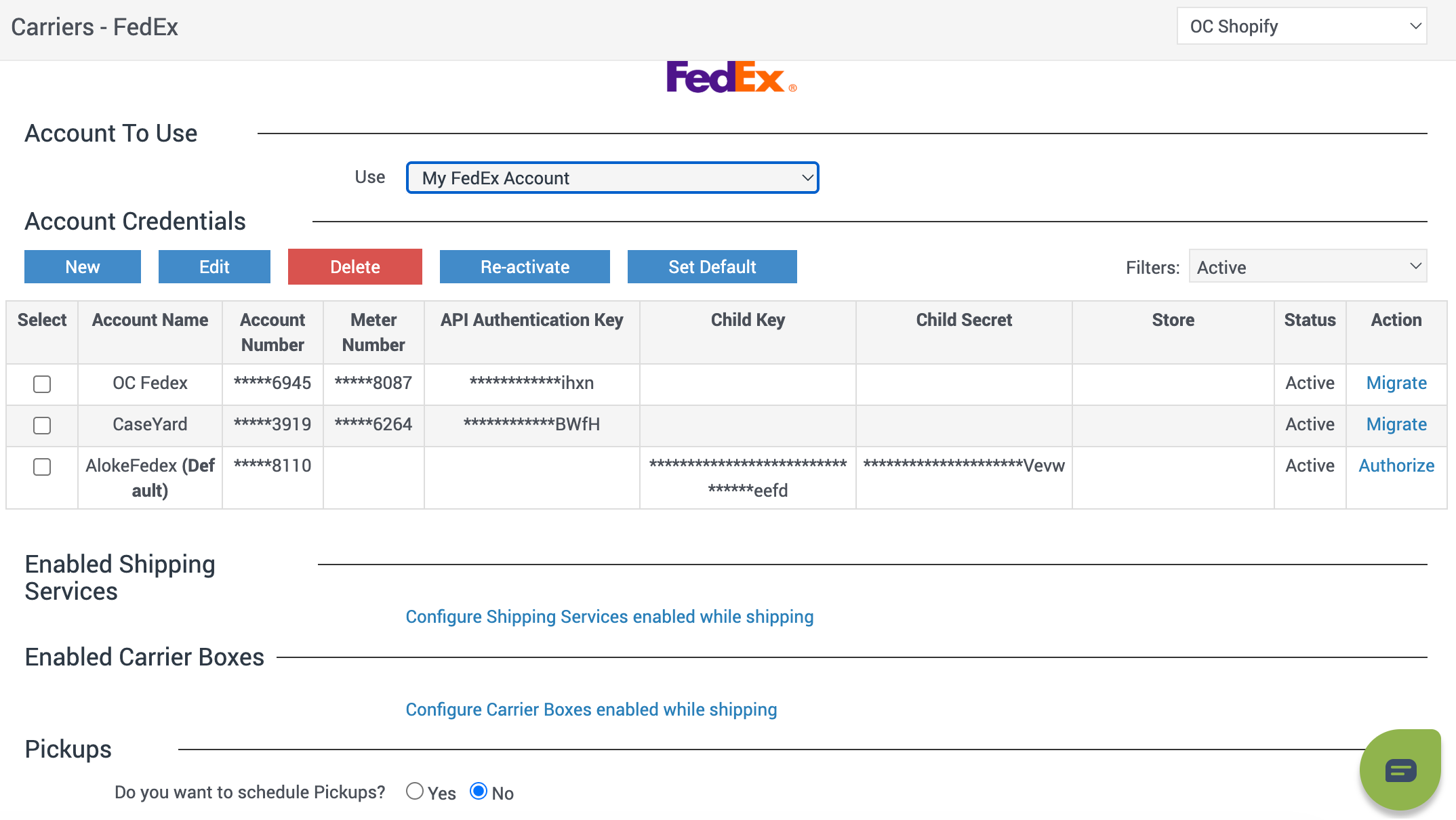
Open Settings → Carriers & Fulfillment → FedEx.
Under Account To Use, select My FedEx Account.
In the Account Credentials table, find your FedEx account.
In the Action column, click Migrate, anf follow the FedEx REST Registration Flow below.
Repeat Steps 4 and 5 for for each of your My FedEx Accounts.
FedEx REST Registration Flow
NOTE: You will complete registration inside OrderCup (you will not be redirected to a separate FedEx login page).
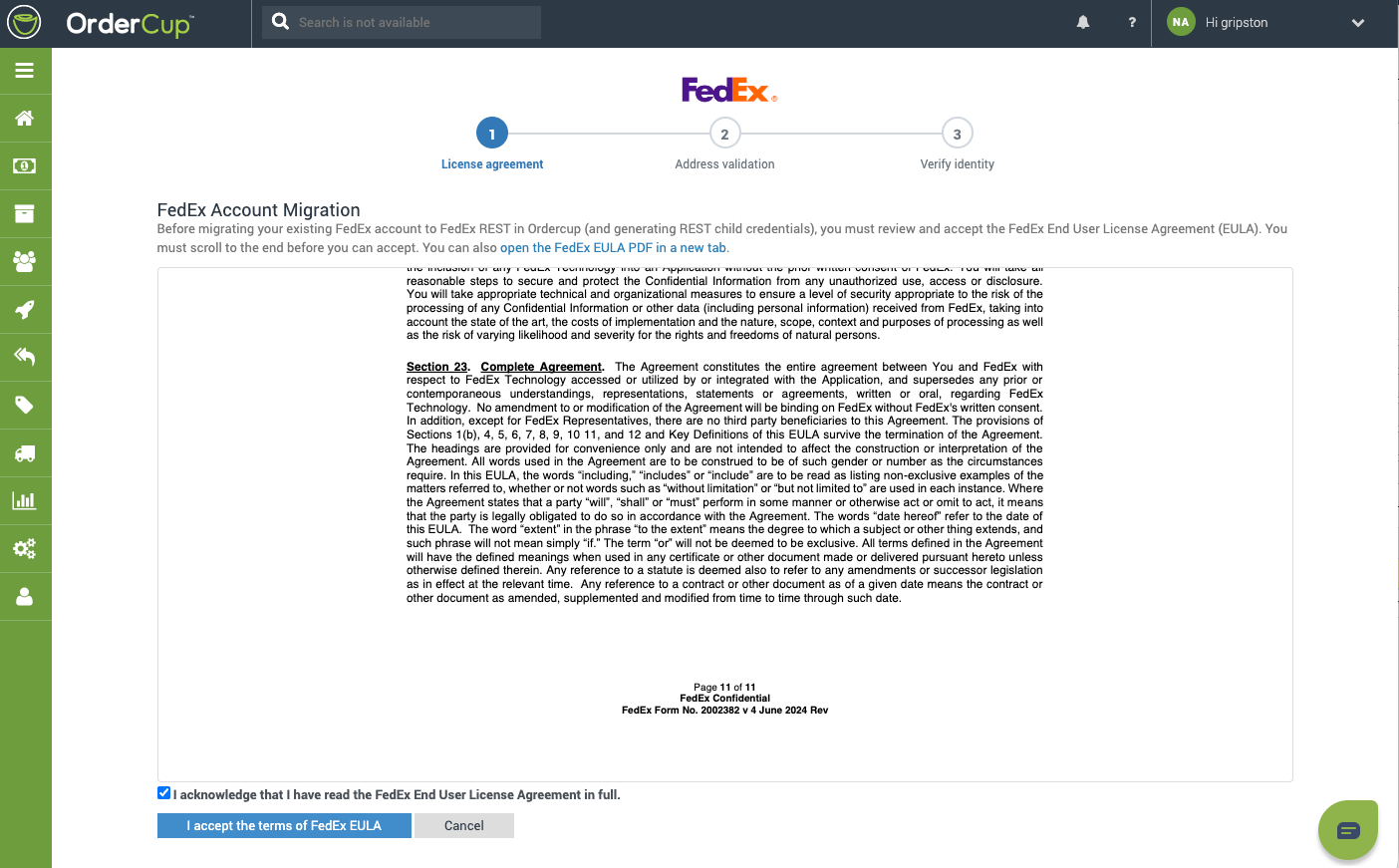
Step 1: Accept the FedEx End User License Agreement (EULA)
Review the FedEx EULA displayed on screen (scroll to the bottom to enable acceptance).
Check I acknowledge that I have read the FedEx End User License Agreement in full.
Click I accept the terms of FedEx EULA to start shipping.
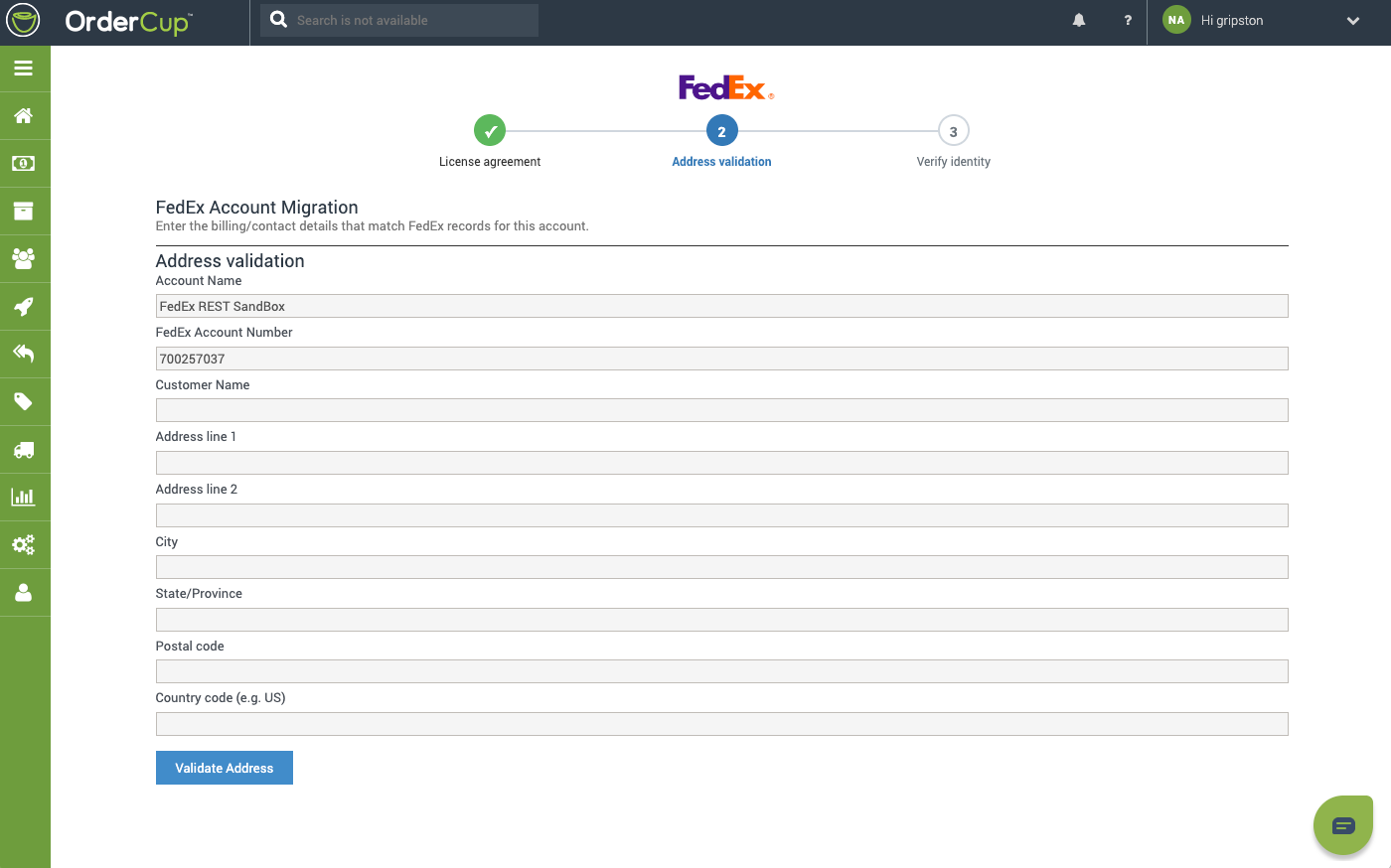
Step 2: Address validation
Enter billing/contact details that match FedEx records for this account:
Account Name
FedEx Account Number
Customer Name
Address (lines 1–2), City, State/Province, Postal code, Country code
Click Validate Address.
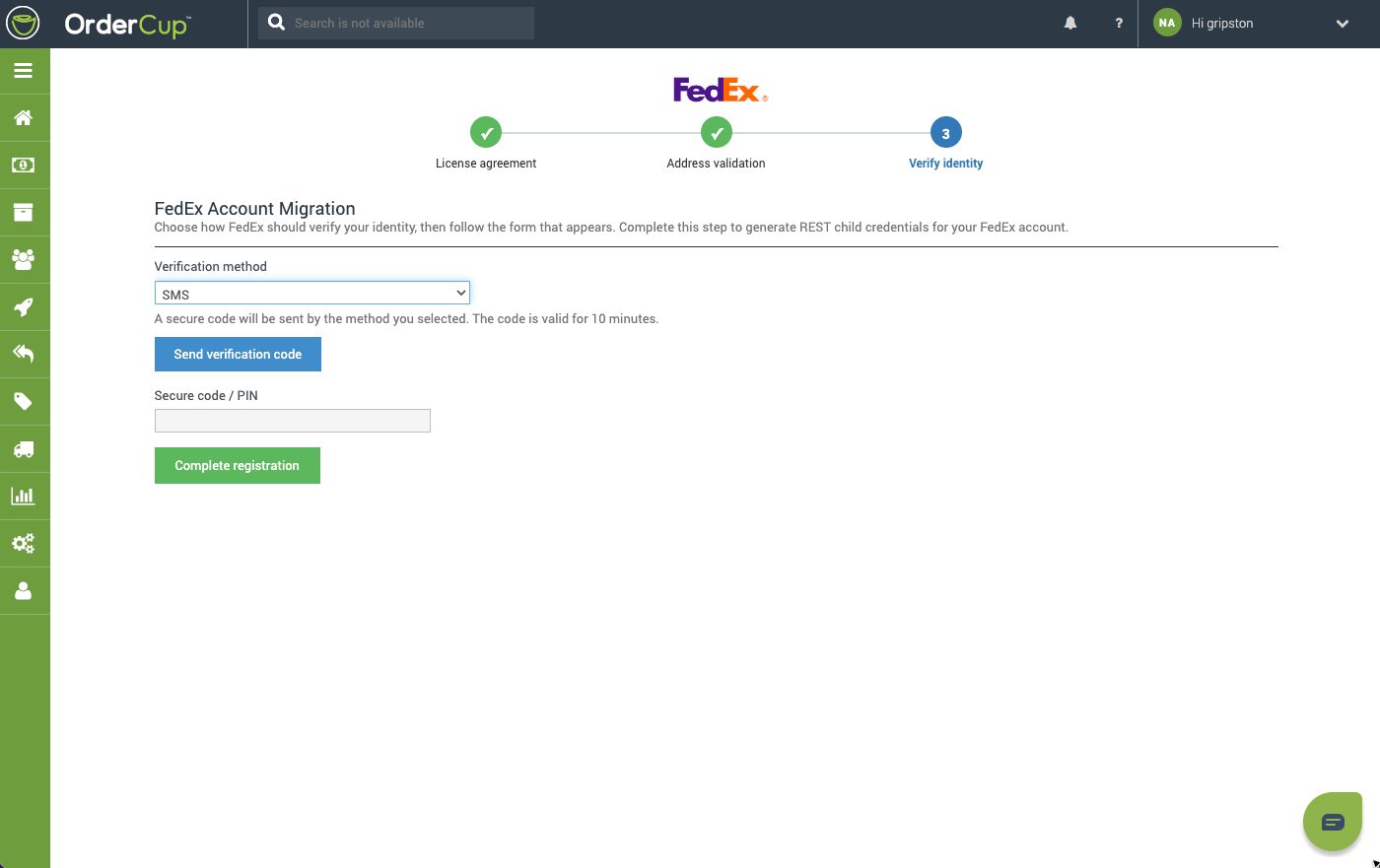
Step 3: Verify your identity
Choose either of the verification methods below:
Completion
When registration succeeds, you are returned to Settings → Carriers & Fulfillment → FedEx with a confirmation that FedEx REST registration completed.
Your account row should show populated Child Key and Child Secret values. OrderCup will use the FedEx REST API for shipping going forward.
After migration, you no longer need a FedEx Meter Number or legacy API Authentication Key/Password for REST shipping. Your FedEx Account Number is still used for billing.
Re-Registration (Existing Migrated Accounts)
If REST registration was previously completed, the Action link displays as Authorize instead of Migrate.
Go to Settings → Carriers & Fulfillment → FedEx.
Select your FedEx account in the credentials table.
Click Authorize.
Complete the EULA and registration steps again.
Re-registration may be required if credentials have expired, access was revoked, or FedEx requires refreshed child credentials.
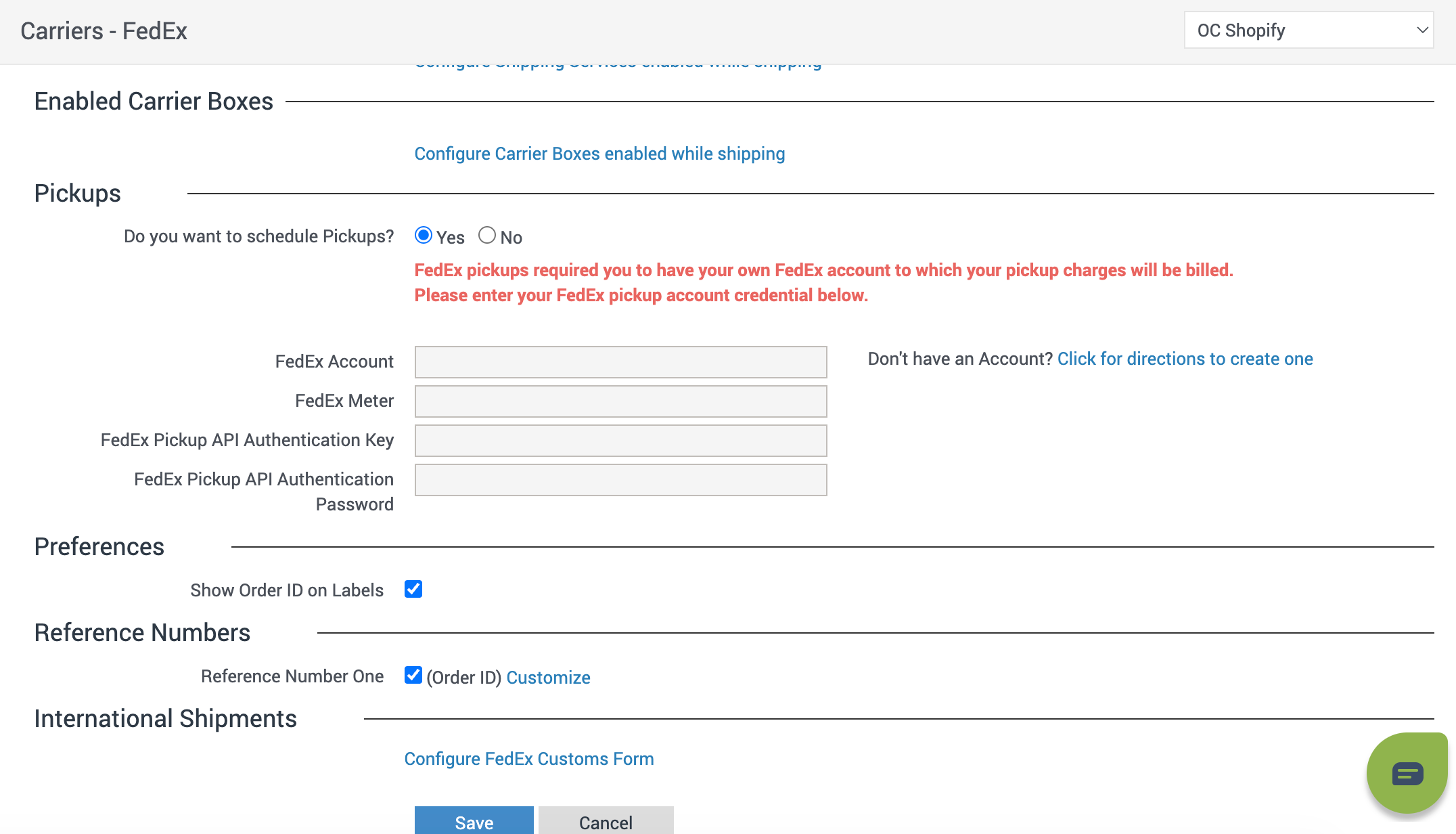
FedEx Pickup Accounts
If you have your own existing FedEx Pickup Account in OrderCup, you must migrate this Account on fedex,com to generate the REST credentials and save them in OrderCup for them to continue working. (The FedEx meter number is optional.)
Troubleshooting
Additional Help
If you have questions or run into issues during migration, contact OrderCup Support at support@ordercup.com.
