
Overview
OrderCup supports Non-Resident Importer (NRI) address configuration through the Store Addresses section. This feature allows merchants to identify a shipping address as a Non-Resident Importer address and enter the associated Tax ID number.
This setting is relevant to merchants shipping internationally, including shipments to Canada where the merchant is acting as the Non-Resident Importer.
1. Log in to your OrderCup account.
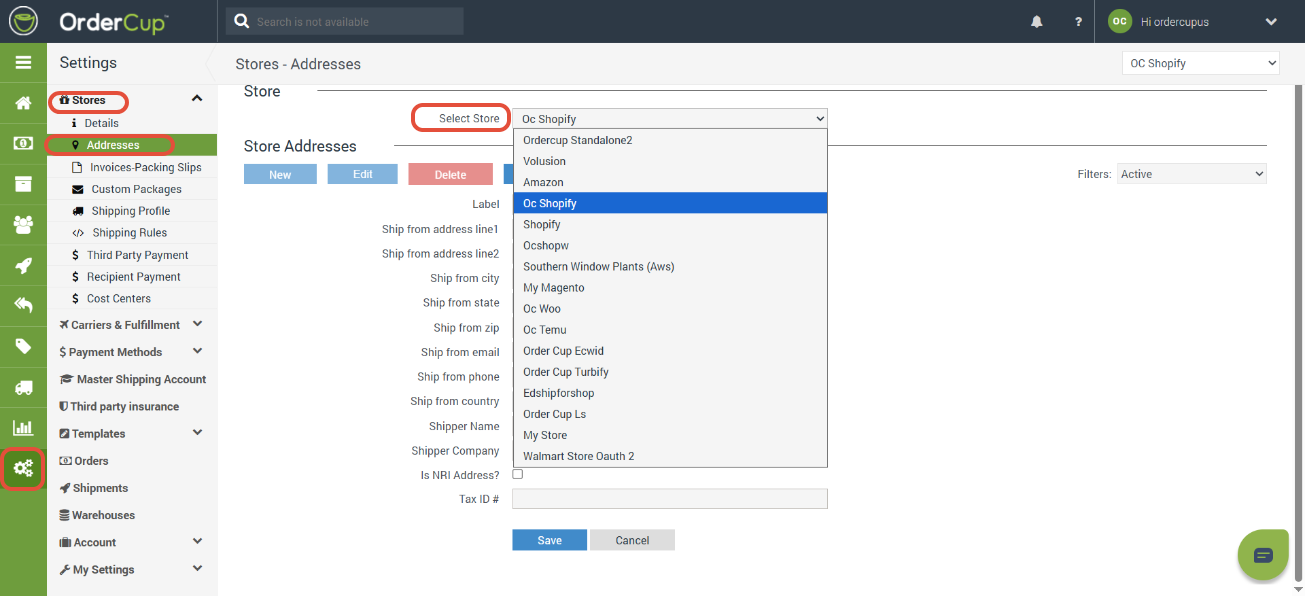
2. Navigate to Settings in the green sidebar menu.
3. Under Stores, select Addresses.
4. Select the appropriate store from the Select Store dropdown, from the drop down.
5. Select an existing address and click Edit, or click New to create a new shipping address.
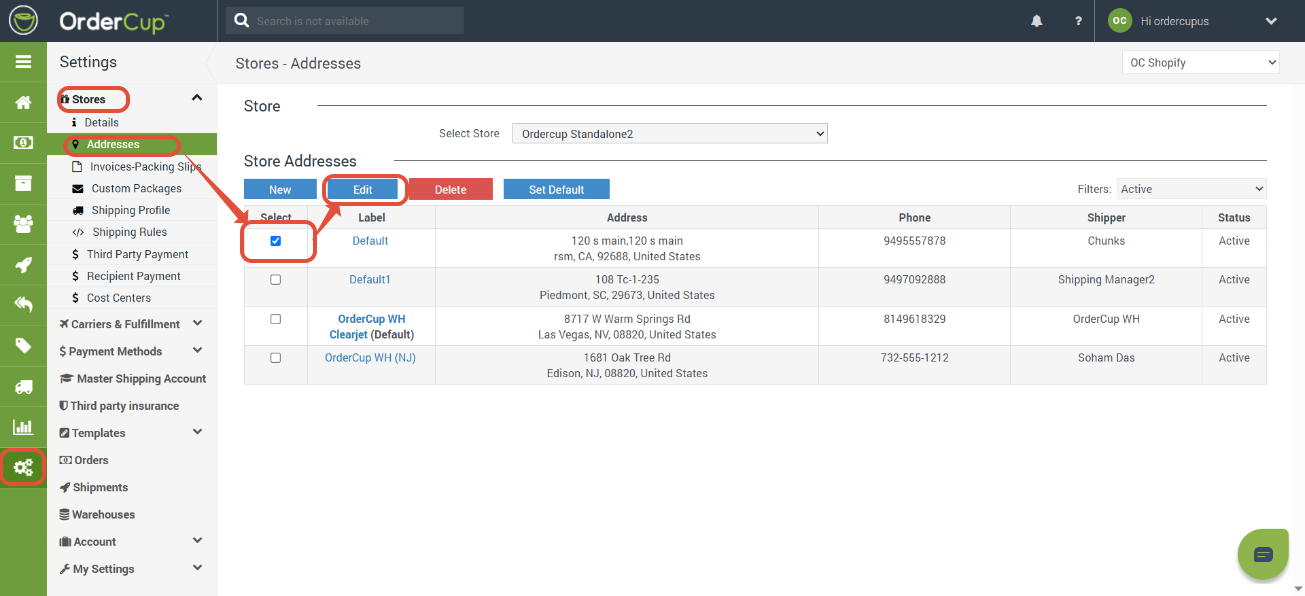
6. After selecting the edit button you can select the NRI Option.
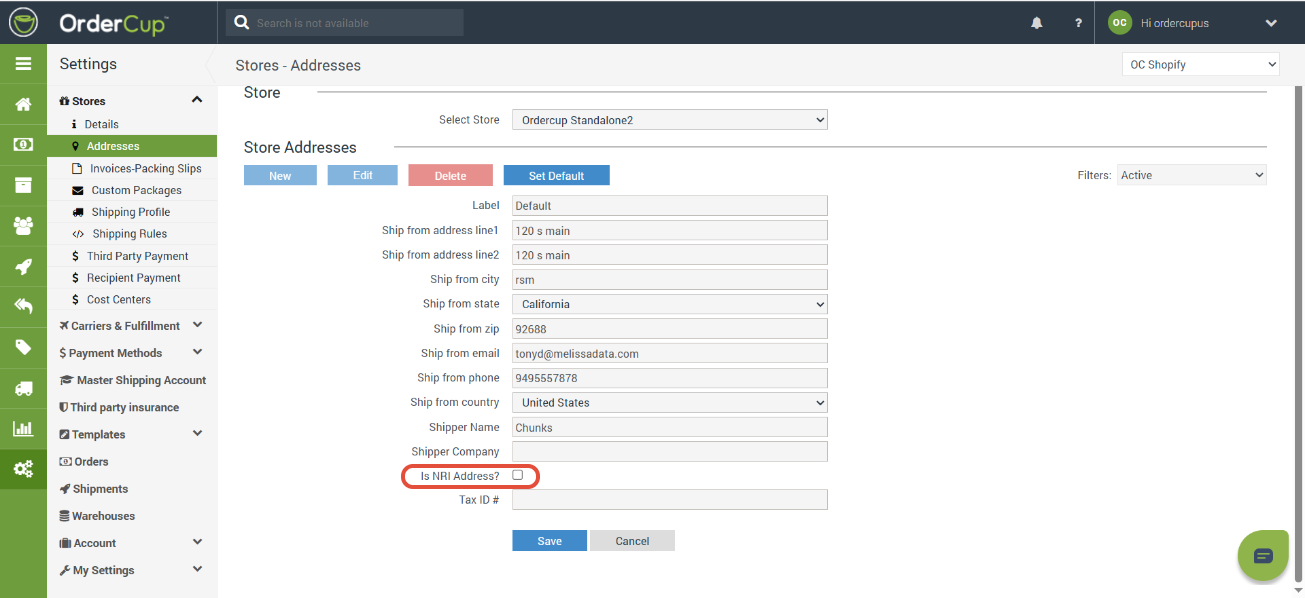
7. Now add your Tax ID# click save and you are done.
Important Notes
The NRI checkbox and Tax ID # are configured at the individual store address level.
Verify that the correct address is selected for the applicable store.
Enter accurate importer and tax identification information.
Selecting the NRI checkbox does not itself establish importer registration or satisfy customs requirements.